The Ultimate Guide: Best Mechanical Keyboards for Programming in 2025
For developers, a keyboard isn’t just an input device; it’s the primary conduit between thought and code, the instrument upon which hours of logic and creativity are played. In the quest for peak productivity and comfort, the mechanical keyboard has become the undisputed tool of choice for serious programmers. But with a dizzying array of switches, layouts, and features, finding the best mechanical keyboard for programming in 2025 can be a project in itself. This guide cuts through the noise, analyzing the key factors for coding and presenting top picks to help you make an informed, productive purchase.
Why Programmers Love Mechanical Keyboards
The shift from membrane or laptop keyboards to mechanical ones is a quality-of-life upgrade for coders. The core advantage lies in the tactile and auditory feedback of individual mechanical switches. This provides undeniable confirmation of each keystroke, reducing typos and allowing for faster, more accurate touch-typing—critical when writing complex syntax. Beyond feel, they offer superior durability, often rated for 50-100 million keystrokes per switch, and unparalleled customization, from swap-and-play keycaps to programmable layers that can store macros for common code snippets or commands. For developers, this translates to a more deliberate, satisfying, and efficient coding experience that reduces finger fatigue during marathon sessions.
Key Features to Consider for a Coding Keyboard
1. Switch Type: The Heart of the Feel
The switch is the most critical decision. For programming, three main types dominate:
- Tactile (Brown, Clear, etc.): The gold standard for many developers. They provide a noticeable “bump” mid-press without a loud click, offering perfect feedback for knowing a key has been actuated without bottoming out, which aids speed and reduces strain.
- Linear (Red, Black, etc.): Smooth and quiet with no bump or click. Preferred by those who prefer a consistent, fluid motion for rapid typing. Reds are light; Blacks are heavier, reducing accidental key presses.
- Clicky (Blue, Green, etc.): Provide both a tactile bump and an audible “click.” While satisfying, they can be disruptive in shared office spaces.
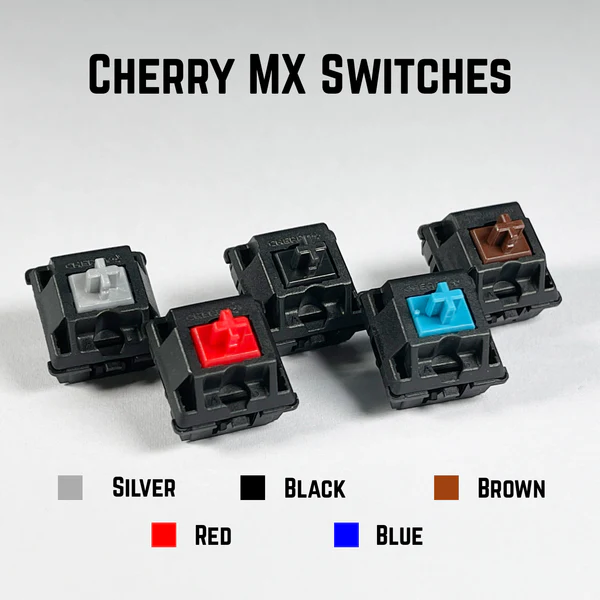
Image: meckeyalpha.com
2. Layout & Form Factor
- Full-Size (100%): Includes the number pad. Essential for those who frequently work with numerical data or use the numpad for navigation shortcuts.
- Tenkeyless (TKL) / 80%: Removes the number pad, saving desk space and allowing the mouse to be closer, promoting better shoulder posture. The most popular choice for developers.
- 75% / 65%: Compresses the function row and navigation cluster into a tighter layout, maximizing desk real estate while keeping most dedicated keys. Requires a slight learning curve but is highly portable.
3. Ergonomics & Comfort
Long coding sessions demand ergonomics. Look for keyboards with an adjustable tilt or included wrist rest. Some advanced models offer split designs or tenting capabilities to maintain a more natural, neutral wrist and arm position, combating repetitive strain injuries (RSI).
4. Keycap Profile & Material
Keycaps influence typing feel. PBT plastic keycaps are more durable, resist shine from oils, and often have a textured, grippy feel compared to smoother ABS plastic. The profile (like Cherry, OEM, or XDA) affects the shape and height of the key—a personal preference worth researching.
5. Programmability & Macros
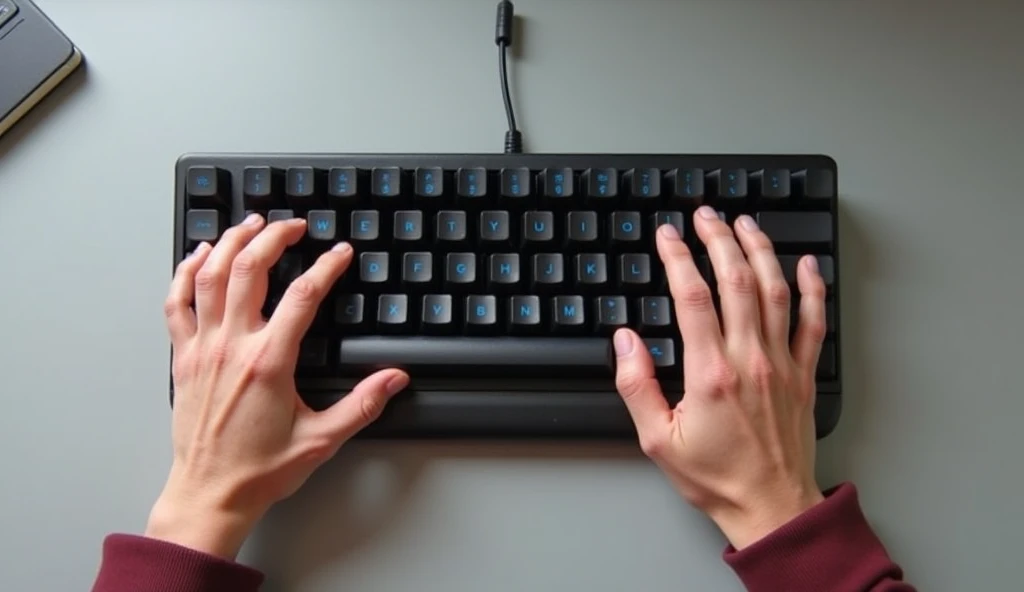
A powerful feature for developers. Full programmability via software or onboard memory allows you to remap keys, create layers for shortcuts, and program complex macros. Imagine a single key that types console.log() or triggers a debug command.
Illustrative image AI / HackStec
Top Mechanical Keyboards for Programmers in 2025
1. The Productivity Powerhouse: Keychron Q3 Pro
This custom-ready Tenkeyless board hits a sweet spot. It features a premium aluminum frame, superb programmable QMK/VIA support for endless customization, and a variety of hot-swappable switch options (tactile options are excellent). Its excellent typing feel and robust build make it a top-tier, long-term investment for a professional setup.
2. The Ergonomic Innovator: Kinesis Freestyle Edge RGB
A champion for health-conscious coders. Its fully split design allows you to position each half shoulder-width apart, and the tenting kit option angles them to eliminate pronation. It boasts robust mechanical switches, dedicated macro columns, and a durable build, making it a therapeutic tool for preventing wrist pain without sacrificing performance.
3. The Minimalist’s Dream: Ducky One 3 SF (65%)
For developers who value desk space and clean aesthetics, this 65% layout is a masterpiece. It doesn’t sacrifice programmability, offering extensive macro and key remapping features. Its double-shot PBT keycaps and choice of high-quality switches ensure a reliable, premium typing experience in a compact form factor.
4. The Office-Friendly Workhorse: Logitech MX Mechanical
Perfect for developers in shared workspaces or those who use a work-issued computer. It offers familiar Logitech ergonomics, low-profile tactile switches that are quiet yet satisfying, and multi-device Bluetooth connectivity. Its seamless integration with the Logi Options+ software allows for easy app-specific key assignment and flow between machines.
5. The Customization King: Glorious GMMK 2
Ideal for the programmer who wants to start customizing. Its hot-swappable sockets mean you can experiment with different switches without soldering. The modular design allows you to easily change keycaps and even the keyboard’s top frame. It offers solid performance, per-key RGB, and a competitive price, serving as a perfect platform to build your perfect typing instrument.
Comparison Table: 2025’s Best Coding Keyboards
| Model | Best For | Form Factor | Key Switch Options | Standout Feature |
|---|---|---|---|---|
| Keychron Q3 Pro | Premium Build & Customization | Tenkeyless (TKL) | Gateron Pro Brown/Red (Hot-swappable) | QMK/VIA Programmability, Aluminum Frame |
| Kinesis Freestyle Edge | Ergonomic Health & Comfort | Split, Tenkeyless | Cherry MX Brown/Blue/Red | Fully Split & Tentable Design, Macro Columns |
| Ducky One 3 SF | Space-Saving Minimalism | 65% | Cherry MX Brown/Red/Blue | Double-shot PBT Keycaps, Compact Layout |
| Logitech MX Mechanical | Office & Multi-Device Use | Tenkeyless / Full-size | Low-Profile Tactile/Linear | Multi-Device Bluetooth, Logi Options+ Software |
| Glorious GMMK 2 | Beginner-Friendly Customization | Tenkeyless / Full-size | Various (Hot-swappable) | Fully Modular, Hot-swap Sockets, Value |
Future Outlook & Final Recommendations
The trend for programming keyboards in 2025 continues toward personalized ergonomics and deeper programmability. We’re seeing more wireless options with ultra-low latency, smarter software integration for IDE-specific shortcuts, and a growing market for modular components.
For most developers, a high-quality Tenkeyless (TKL) board with tactile switches (like Browns) is the safest and most productive starting point. It balances functionality, desk space, and comfort. Prioritize your physical well-being—if you experience discomfort, consider an ergonomic split design. Remember, the best keyboard is the one that feels like an effortless extension of your thoughts, allowing you to focus on solving problems, not fighting your tools.
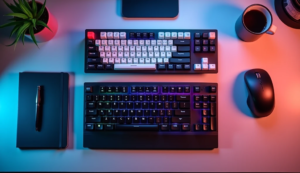
Illustrative image AI / HackStec
FAQ: Mechanical Keyboards for Programming
Q1: Are clicky switches (like Blues) good for programming?
A1: They offer excellent tactile feedback, which some programmers love. However, the loud click can be highly disruptive in open offices or shared spaces. Tactile non-clicky switches (like Browns) are generally the recommended compromise, providing feedback without the noise.
Q2: Do I need a number pad for coding?
A2: For general programming, a number pad is rarely necessary. Most developers favor the space-saving Tenkeyless (TKL) layout. However, if you work extensively with data, finance, or use CAD software, a full-size keyboard may be beneficial.
Q3: What is “hot-swappable” and why is it important?
A3: A hot-swappable keyboard allows you to pull out and replace mechanical switches without any soldering. This is invaluable for programmers as it lets you easily experiment with different switch types to find your perfect feel, or replace a single switch if it ever fails, future-proofing your investment.
Q4: Are wireless mechanical keyboards viable for coding?
A4: Absolutely. Modern wireless keyboards using Bluetooth 5.0+ or proprietary 2.4GHz RF dongles offer latency indistinguishable from wired connections for typing. They reduce cable clutter, but ensure you choose a model with reliable connectivity and good battery life if you go wireless.
Q5: How important are programmable macro keys for a developer?
A5: They can be a significant productivity booster. Macros can automate repetitive tasks like inserting common code snippets (if-else blocks, function() templates), running build commands, or executing complex IDE shortcuts. Even without dedicated macro keys, most programmable keyboards allow you to assign macros to key combinations.





Publicar comentário