The Ultimate AI Productivity Stack for 2025: Free & Paid Tools That Actually Work

Stop drowning in busywork. We tested dozens of AI tools to build the definitive productivity stack for creators, developers, and professionals in 2025.
Let’s be honest: the AI tool landscape is a noisy, overwhelming marketplace of hype. Every week brings a new “revolutionary” app promising to save you hours, yet you spend more time testing them than actually being productive. The real power isn’t in any single tool—it’s in a cohesive, intelligent workflow.
After months of testing and real-world use, we’ve curated the definitive AI productivity stack for 2025. This isn’t just a list; it’s a strategic blueprint designed for different roles—the writer, the coder, the project lead, the student. We focus on tools that integrate, automate genuine pain points, and, crucially, offer immense value in their free tiers so you can start transforming your workflow today.
Forget chasing shiny objects. Here’s the signal through the noise.
The Philosophy: Building Your AI “Co-Pilot” Stack
Think of AI tools not as replacements, but as specialized co-pilots. Your goal is to assemble a team:
- The Writer & Researcher
- The Organizer & Scheduler
- The Developer & Technician
- The Communicator & Collaborator
The best stacks connect these co-pilots via automation (Zapier/Make) and a central brain (like a paid LLM). Ready to build yours?
🏆 Category 1: Writing, Research & Content Creation
The tools that fight the blank page and information overload.
1. Perplexity AI (Free Plan + Pro: $20/mo)
What it is: An AI-powered answer engine that cites sources.
Why it’s Essential: It’s the end of endless Google tab hopping. Ask complex questions, get concise, sourced answers. The Pro version unlocks powerful AI models (Claude 3, GPT-4) for deeper analysis.
Perfect for: Initial research, understanding complex topics, fact-checking.
HackStec Verdict: The starting point for any research task. The free plan is robust.
2. ChatGPT (Free Plan + Plus: $20/mo)
What it is: The ubiquitous conversational LLM.
Why it’s Still King: For brainstorming, drafting email templates, rewriting paragraphs, and explaining concepts, it’s unbeatable for flexibility. The voice conversation feature (on mobile) is a game-changer for capturing ideas on the go.
Use Case: “Act as a tech blogger. Give me 5 catchy titles for an article about DDR6 RAM.”
Free Tier Tip: GPT-3.5 is fine for most drafting and brainstorming. Save GPT-4 (Plus) for complex reasoning.
3. Claude 3 (Free via Claude.ai)
What it is: Anthropic’s LLM, renowned for its long context window (200K tokens).
Why it’s a Powerhouse: Upload massive documents (PDFs, research papers, entire codebases) and ask for summaries, Q&A, or analysis. It excels at nuanced, careful writing and safety.
Perfect for: Analyzing long reports, extracting key points from lengthy transcripts, drafting detailed documents.
The Edge: Its free access to the Sonnet model is incredibly generous for heavy document analysis.
4. Gamma (Free + Premium Plans)
What it is: An AI-powered presentation and document generator.
Why it Beats PowerPoint: You give it a topic and outline; it generates a stunning, designed deck or web page in seconds. It cuts design time from hours to minutes.
Perfect for: Creating investor decks, internal reports, or blog post outlines that need to look professional instantly.

Illustrative image AI / HackStec
🏆 Category 2: Organization, Scheduling & Task Management
The tools that tame chaos and reclaim your calendar.
1. Notion AI ($10/mo add-on)
What it is: AI built directly into the versatile Notion workspace.
Why it’s a Workflow Hub: Summarize meeting notes inside your notes, generate action items from brainstorms, translate pages, and improve writing without leaving your project management system.
Perfect for: Teams that already live in Notion. It makes your existing workspace intelligent.
2. Reclaim AI (Free for solo + Paid Teams)
What it is: An AI scheduler for Google Calendar.
Why it’s Magic: It finds optimal times for meetings, automatically buffers focus time, schedules habits (like “learn Spanish”), and even reschedules tasks when your day blows up. It defends your time proactively.
Perfect for: Anyone whose calendar is a battleground. The free plan is powerful for individuals.
3. Motion (Paid: $34/user/mo)
What it is: An AI-powered project manager that schedules your tasks for you.
Why it’s Next-Level: You list your tasks, deadlines, and duration. Motion’s AI considers your meetings, priorities, and work habits to build and dynamically adjust your daily schedule.
Perfect for: Solo entrepreneurs, project managers, and anyone who struggles with prioritization and procrastination.
🏆 Category 3: Development & Technical Tasks
The co-pilots that accelerate building and problem-solving.
1. Cursor (Free + Pro Plans)
What it is: An AI-first code editor built for the ChatGPT era.
Why Developers Are Switching: It deeply understands your entire codebase. Ask it to “add a dark mode toggle” or “find the bug causing the login error,” and it references your actual files to give precise edits.
Perfect for: Modern developers. It’s the evolution of GitHub Copilot for the chat-native world.
2. GitHub Copilot (Free for students, $10/mo)
What it is: The original AI pair programmer.
Why it’s a Staple: Inline code suggestions are now standard. It’s seamlessly integrated into VS Code and JetBrains IDEs, turning natural language comments into code blocks.
Perfect for: All levels of coders, from learning to professional productivity.
3. Warmer.ai (Email & LinkedIn Drafter) (Freemium)
What it is: AI that writes your sales and networking emails.
Why it Works: It personalizes cold emails by scraping a prospect’s website/LinkedIn, dramatically increasing reply rates. The free tier offers a generous number of credits.
Perfect for: Founders, freelancers, and anyone in business development.

Illustrative image AI / HackStec
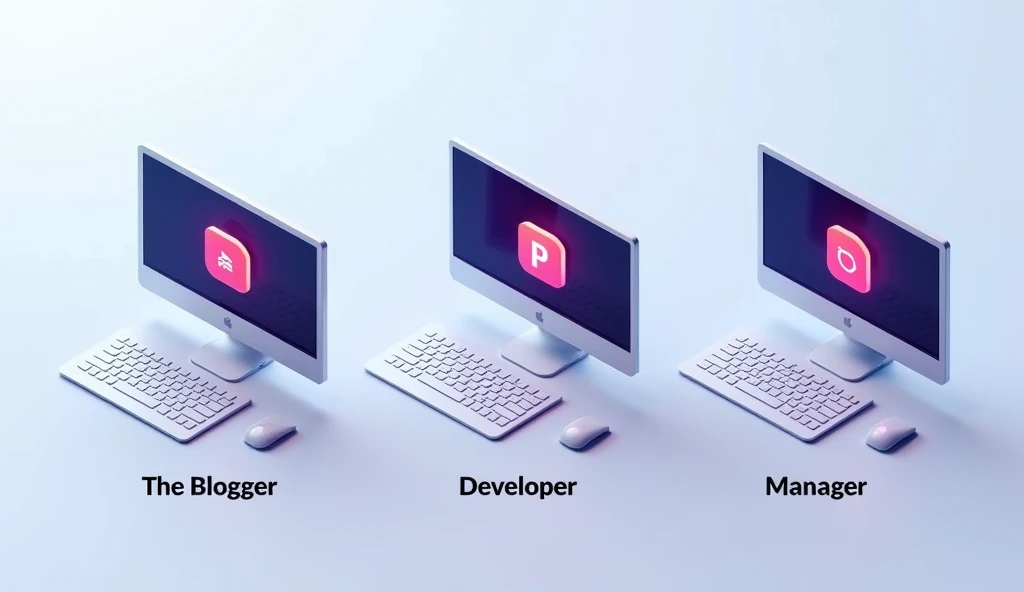
The 2025 HackStec Productivity Stack: By Role
For the Solopreneur/Blogger:
- Research: Perplexity (Free) + Claude (Free)
- Writing: ChatGPT (Free) + Grammarly
- Planning: Notion (Free) + Reclaim AI (Free)
For the Software Developer:
- Coding: Cursor (Pro) or GitHub Copilot ($10)
- Documentation: ChatGPT (Plus) for explanations
- Project Mgmt: Motion or Notion with AI
For the Executive/Team Lead:
- Communication: Gamma for decks + Warmer for emails
- Scheduling: Reclaim AI (Teams)
- Meeting Intelligence: Otter.ai (transcription) + Notion AI for summaries
Illustrative image AI / HackStec
The Bottom Line & What to Avoid
Invest in Integration: One powerful paid tool (like Notion AI or Cursor) that fits your core workflow is better than ten disconnected free tools.
Beware of “Shiny Toy Syndrome”: Most productivity gains come from mastering 2-3 tools deeply, not skimming 20. Avoid niche tools that solve problems you don’t have.
The Future is Agentic: Watch for tools that move beyond simple commands to autonomous AI agents that can execute multi-step tasks (e.g., “research competitors and draft a comparison blog post”).
What does your 2025 productivity stack look like? Did we miss a hidden-gem AI tool that’s essential to your workflow? Share your favorites in the comments and let’s build the ultimate community-curated list!






Publicar comentário